I redesigned how Microsoft Teams admins control external collaboration: 40+ settings across three portals became one overview and three modes, now available worldwide.
PM, engineering across India & Prague, content design, UX research
Timeline
July 2025 – February 2026
Status
Shipped; showcased at Microsoft Ignite 2025
Every company works with outsiders
320M+people use Microsoft Teams every monthMicrosoft, October 2023
In each organisation, an IT admin decides who outside the company its people can chat, call, meet and share channels with.
One question, three portals
CEO
Can we work with our new vendor in Teams?
A CEO asks their IT admin
That simple question sent admins through three portals and more than 20 pages, piecing together how roughly 40 settings depended on each other.
Where admins had to look
Teams admin center
Chat, calls, meetings and channels
External access
Guest access
Meeting policies
Messaging policies
Calling policies
Teams policies
40+ controls across 6+ policies
Microsoft Entra
Identity and cross-tenant access
B2B collaboration
B2B Direct Connect: inbound
B2B Direct Connect: outbound
Teams admins can see it, but not change it
SharePoint
Files
External sharing
Left for a later milestone
Nothing showed the organisation’s overall stance. One wrong setting could block legitimate work or expose the company, and it was one of the most-criticised areas of Teams administration.
Two admins, opposite needs
The occasional admin
Small business, generalist. Wants a safe default, then wants to get back to work.
The expert admin
Enterprise. Wants transparency, granular control and the freedom to deviate from recommendations.
Admins don’t think in settings.They think in intent.
Nobody sets out to change aninbound access policy. They want towork freely with partners orlock things down.
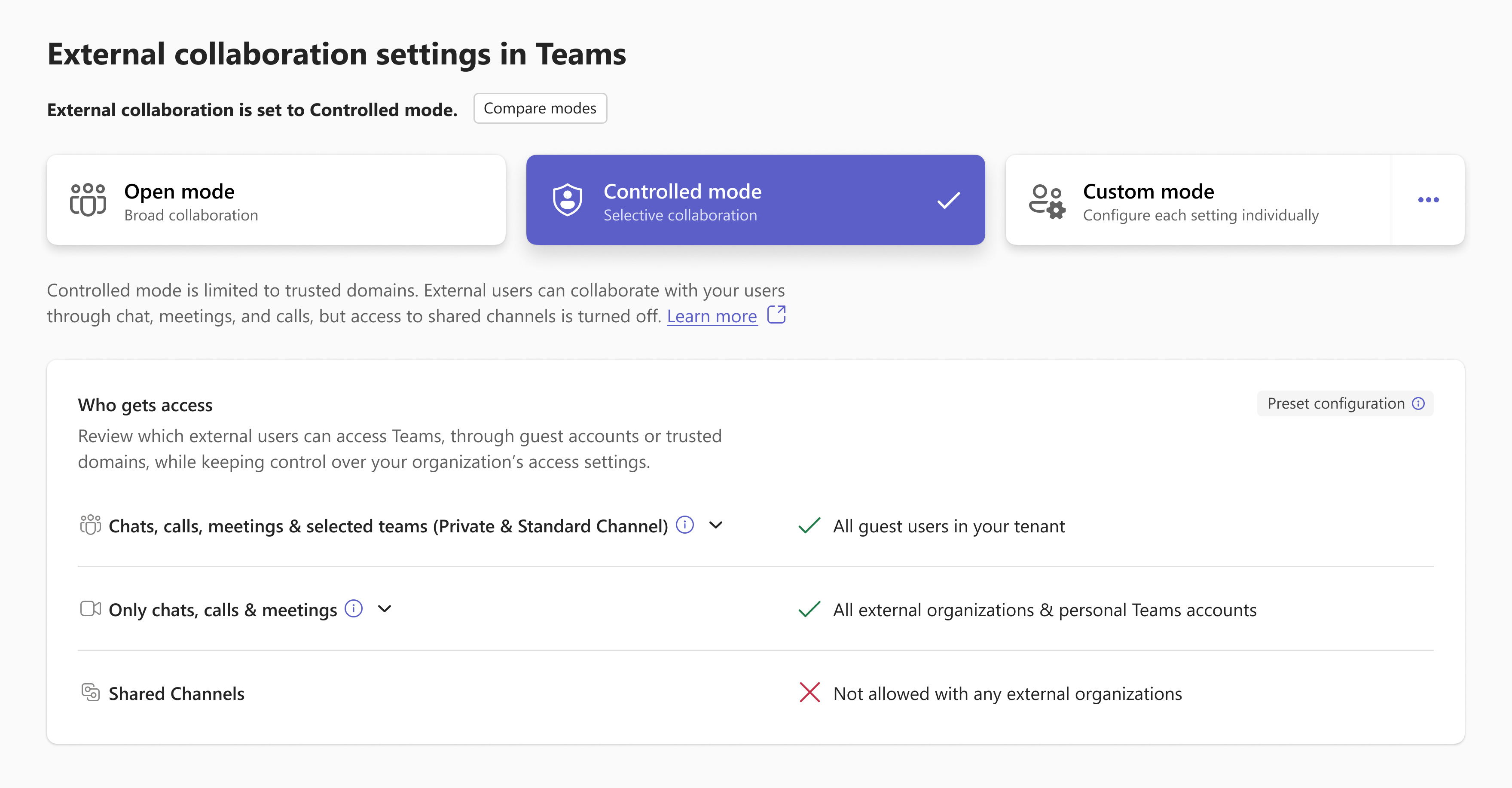
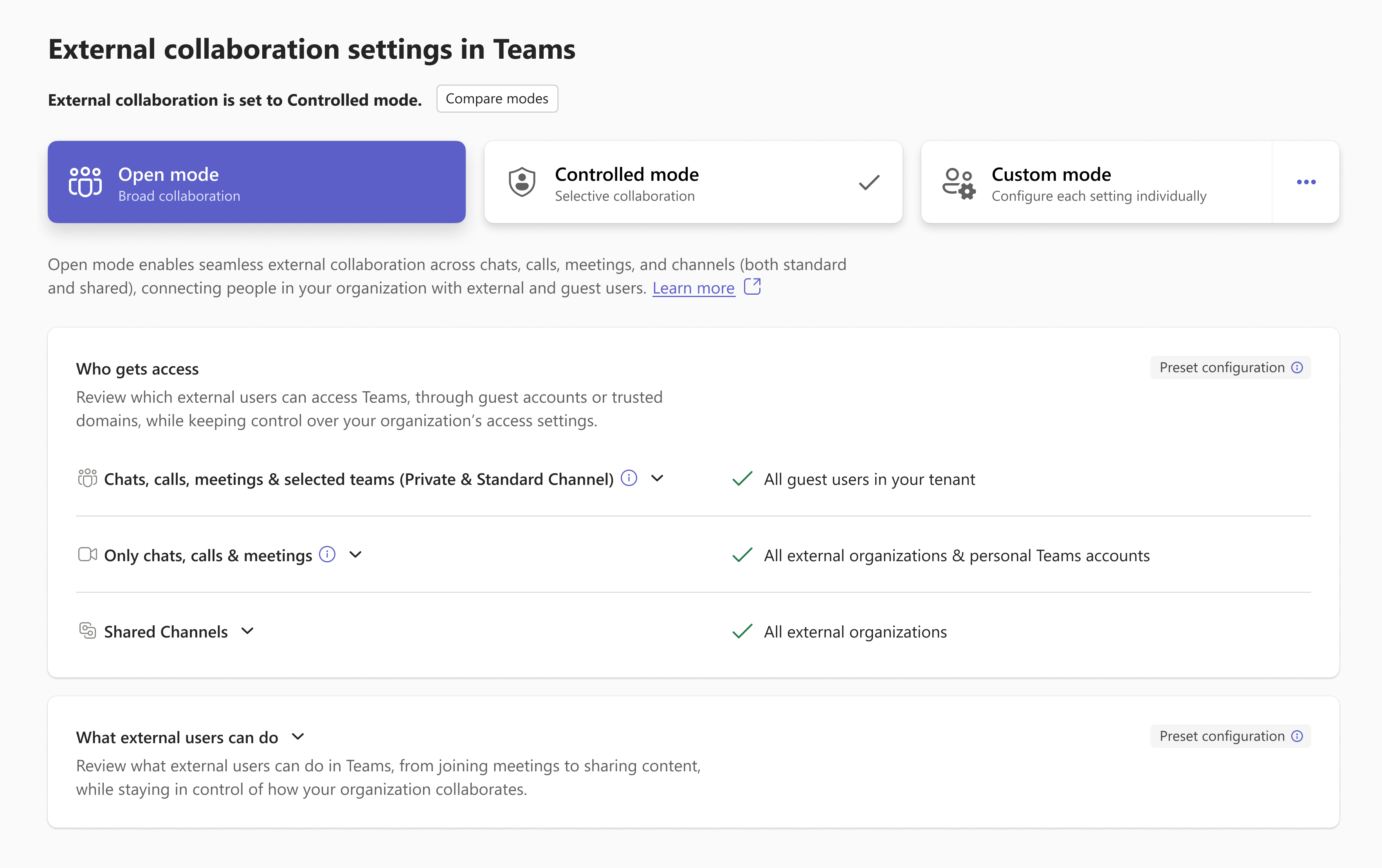
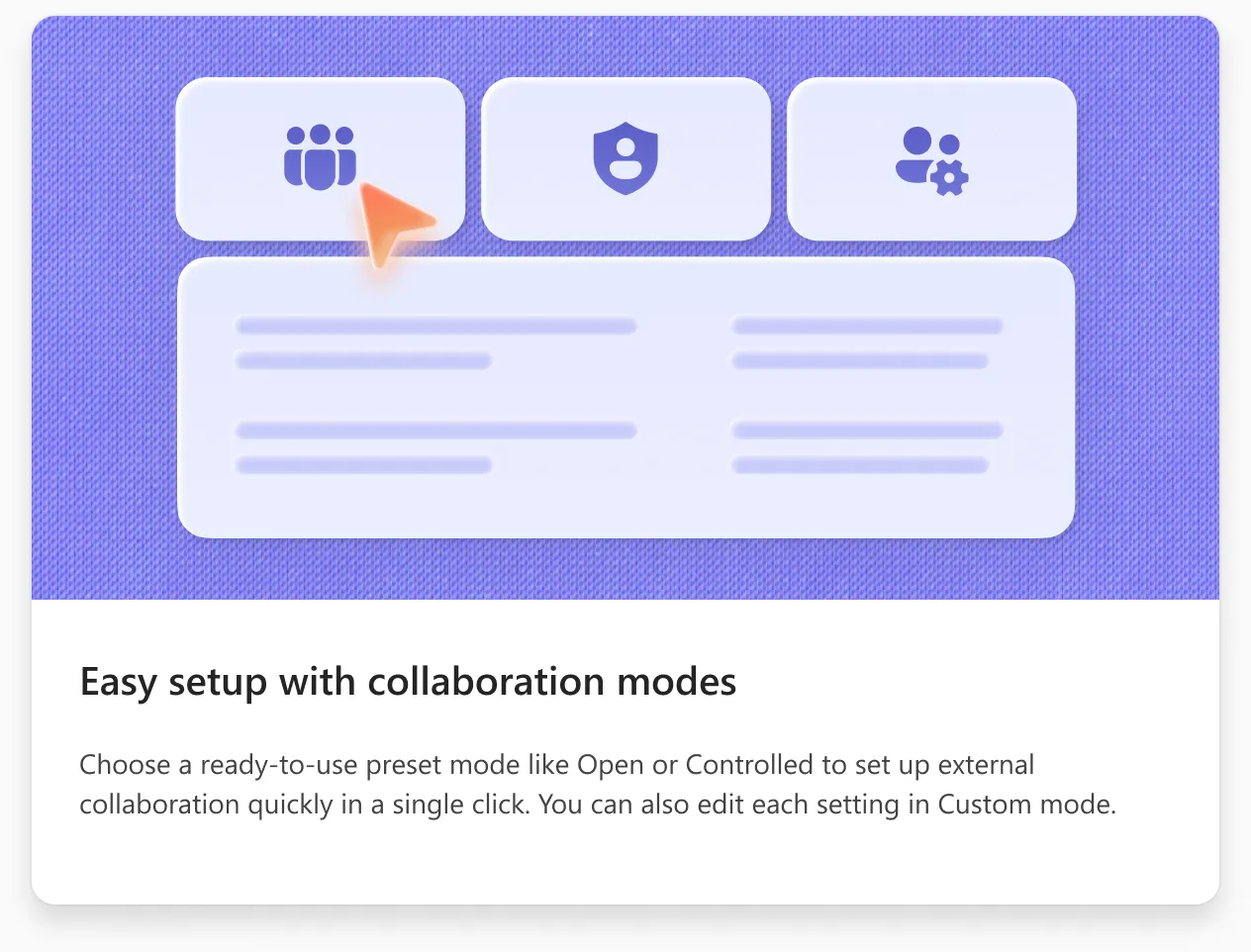
About 40 settings, such as guest access, who can bypass the lobby and meeting chat, became three choices: Open, Controlled and Custom.
40settings
Guest accessExternal collaboration with AAD organizationsPeople in my organization can communicate with personal Teams accountsPeople in my organization can communicate with accounts in trial Teams tenantsInbound settings (B2B Direct Connect)Outbound settings (B2B Direct Connect)Invite external users to shared channelsJoin external shared channelsEdit sent messagesDelete sent messagesUsers can delete messages sent by botsChatGiphy in conversationsGiphy content ratingMemes in conversationsStickers in conversationsImmersive reader for messagesWho can register for a meetingWho can bypass the lobbyPeople can join external meetings hosted byMeeting chatExternal meeting chatWho can presentExternal participants can give or request controlParticipants can share content in external meetings hosted byVideo conferencingScreen sharingMeet now in channelsParticipants can give controlExternal participants can get controlAnonymous users can join a meetingAnonymous users and dial-in callers can start a meetingAnonymous users can interact with apps in meetingsAnonymous users can join a meeting unverifiedAnonymous users can join a meeting after verifyingRequire a verification check fromRouting for PSTN callsRouting for federated callsSpam filteringMake private callsProvide a link to my support request pageWho can manage tags
3choices
Open
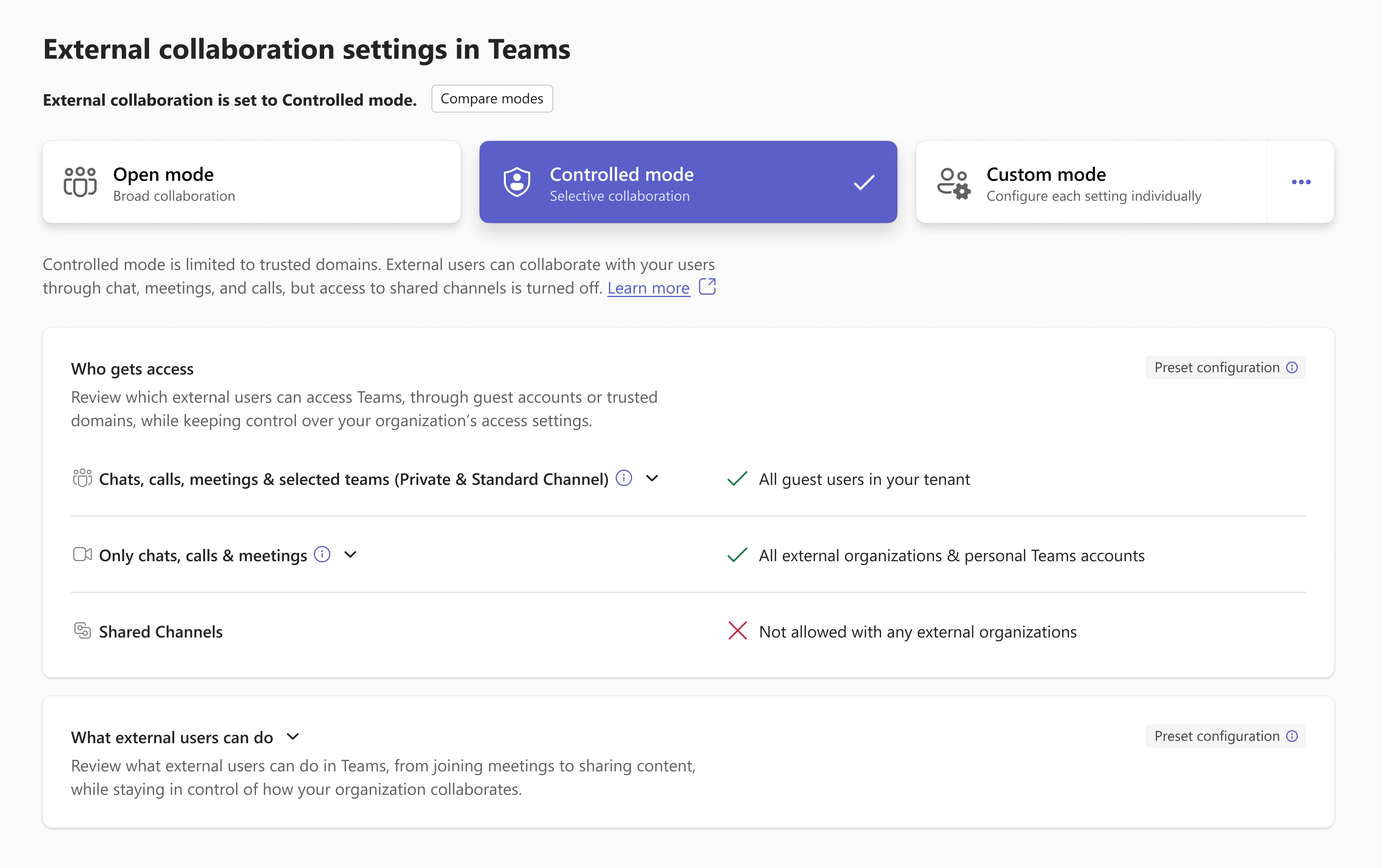
Controlled
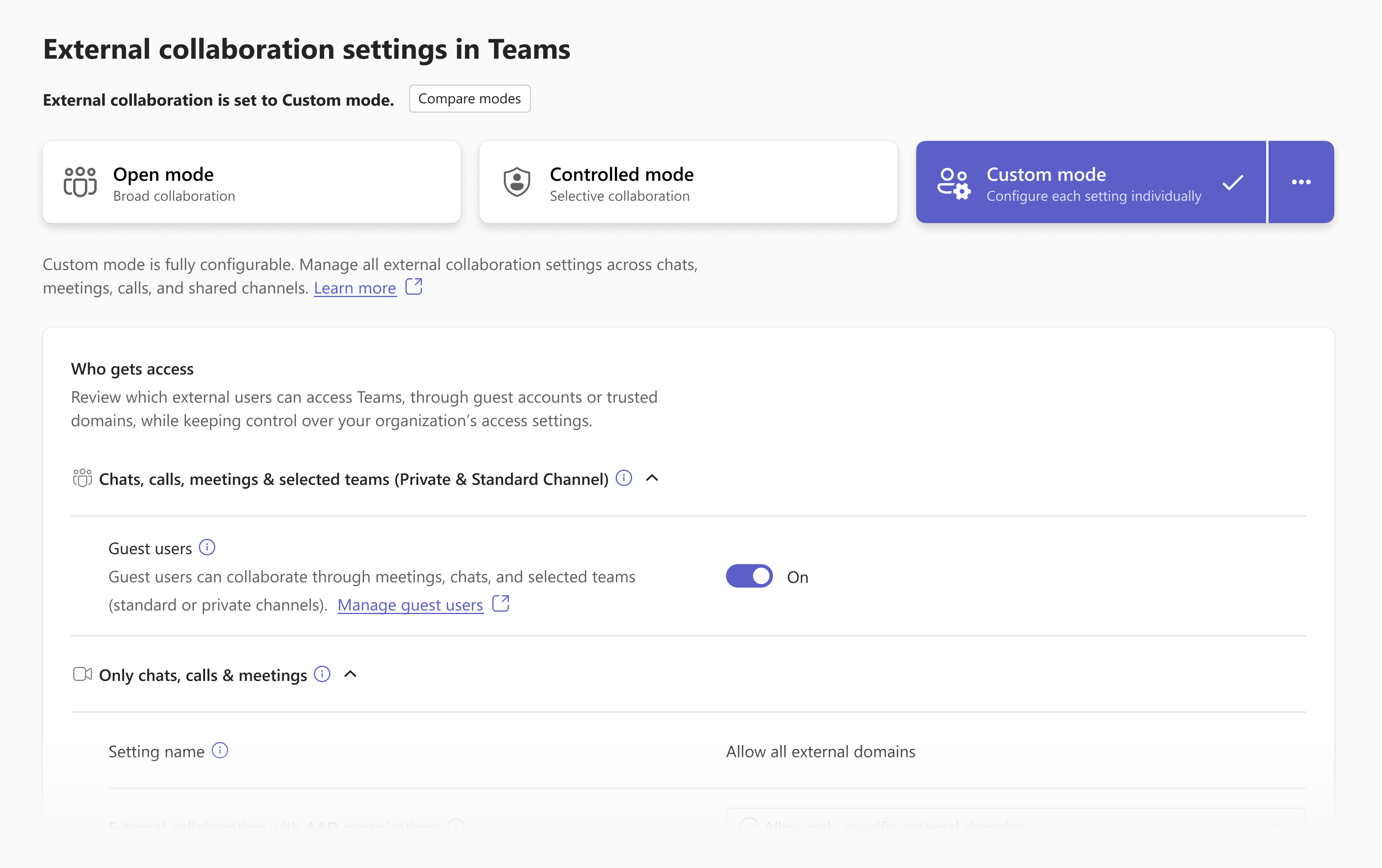
Custom
A layer on top of the existing policies
Rebuilding the policies wasn’t possible before Ignite, so the new experience sits on top of them.
Three levels of depth
The occasional admin stops at the overview. The expert goes one level deeper.
Presets show their values as ticks and crosses. Only Custom shows toggles and dropdowns, so nothing looks editable unless it is. Experts can copy a preset into Custom and change only what they need.
Designing around the constraints
One change hits many policies
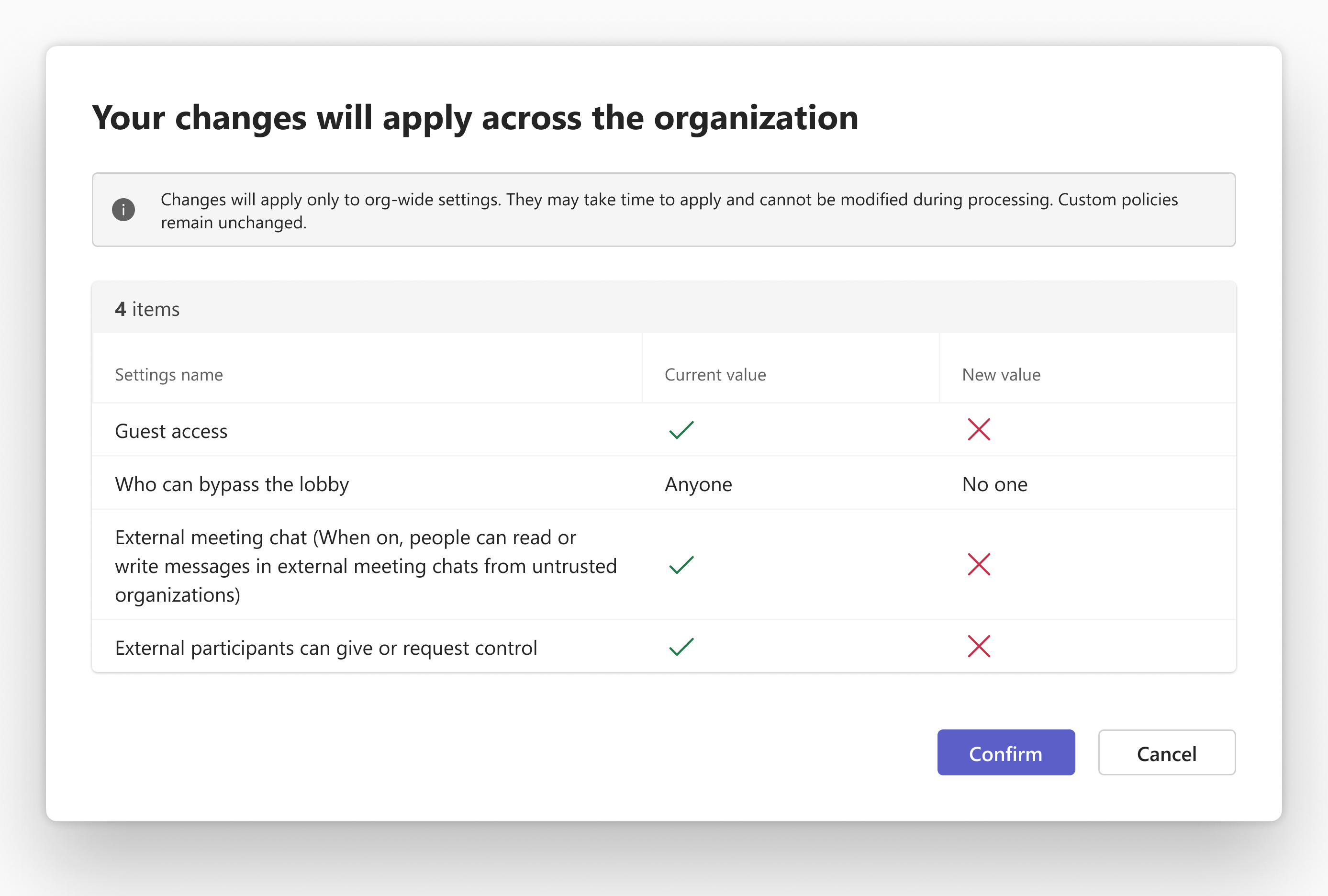
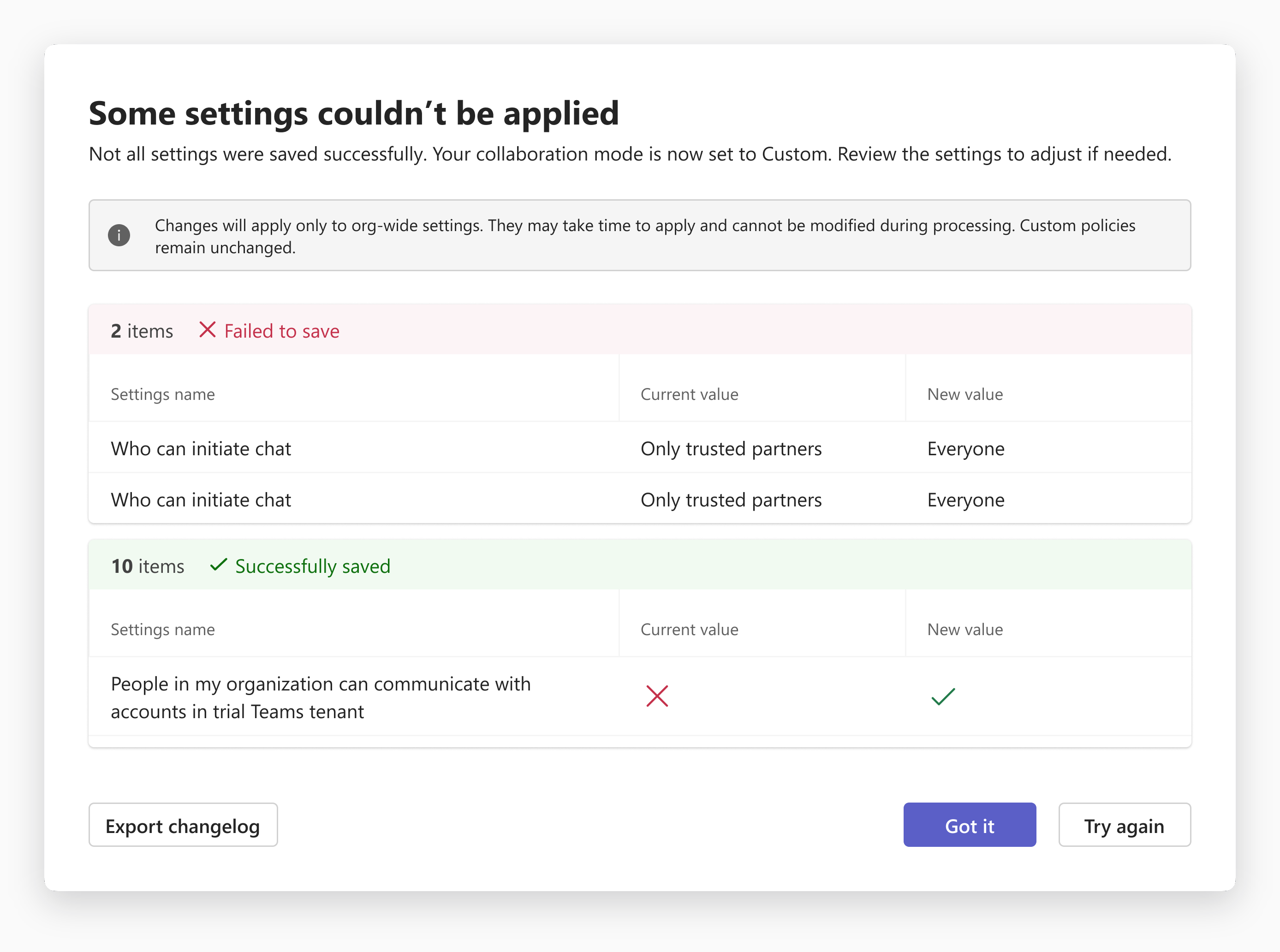
So nothing applies silently. Admins see every setting that will change, with its current and new value, before they confirm.
If a change needs a Global Administrator, the action stays available and a dialog explains why, instead of a disabled button.
The old policy pages stay live
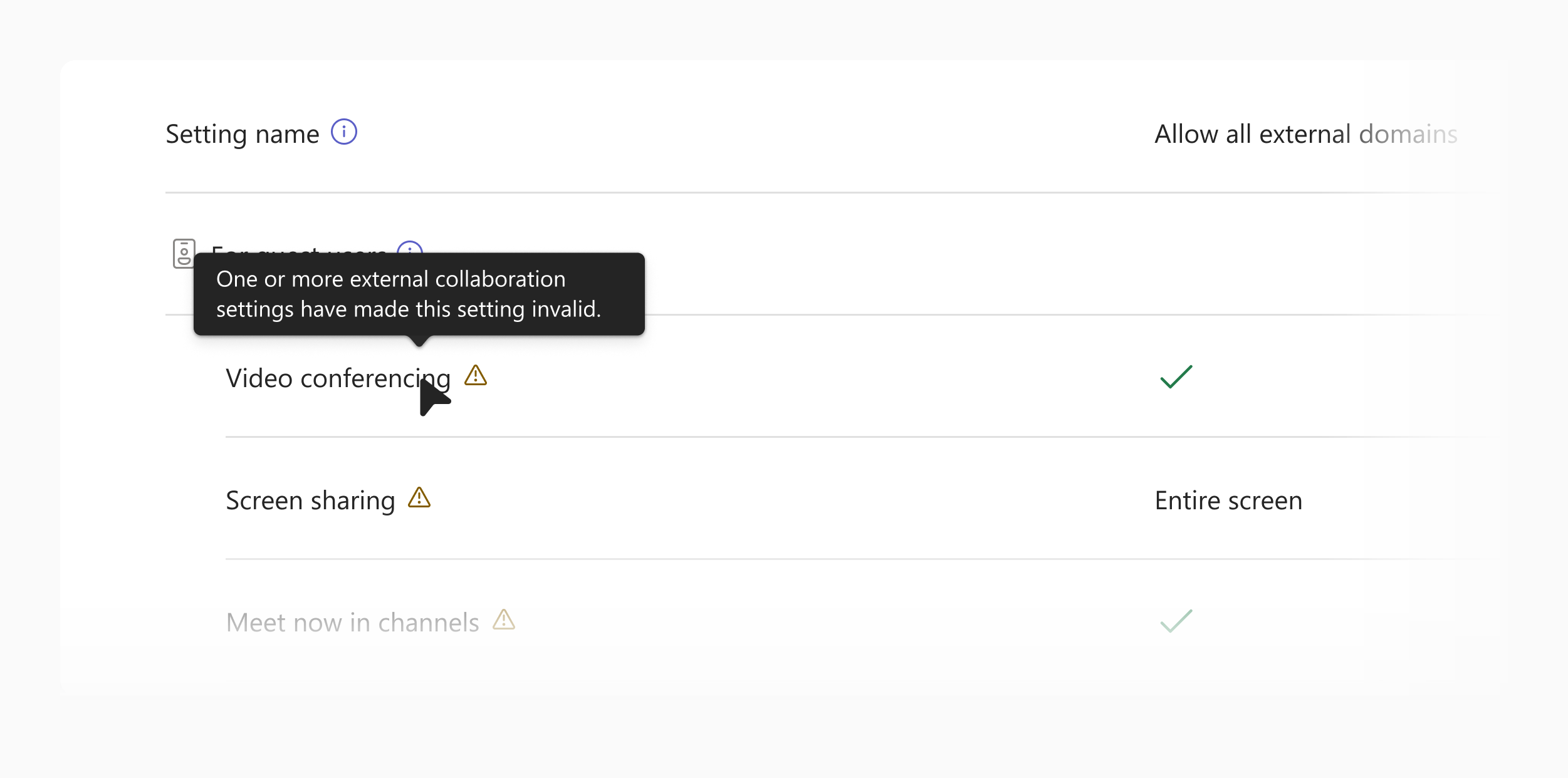
If a setting is changed there, the overview reports Custom mode.
Custom policies come first
Mode changes apply org-wide only, and every change dialog says so.
Optional onboarding
A two-page introduction that admins open themselves, so concept explanations stay out of the everyday screens.
Trade-offs
Key decisions and trade-offs
The call
Instead of
Why
A read-only overview
An editable dashboard
Simple for occasional admins, with room to grow. The cost is one extra click for experts.
Presets can’t be partly edited
Editing a preset in place
An edited preset that still says “Open” would mislead. Customers preferred a custom configuration.
The mode is the main decision
Mode as a utility behind a menu
Choosing an intent should come before small edits. “Edit settings” became “Change mode”.
Organisation-wide scope, for now
Scope by team, domain or organisational unit
Customers asked for it, but it couldn’t be done well by Ignite.
Showcased at Microsoft Ignite 2025
November 2025, about four months after the first design review.
What the feedback changed
January: customer advisory board
Customers confirmed strong demand for consolidation, but preferred a persistent summary card on the page they already used over an entry banner. I switched the main page to a status-first design.
February: experience review
A formal review of the live build with 14 participants found 0 blocking issues across 3 core tasks.
It exposed friction in three areas, which fed into the next iteration:
Switching modes
A green success message after copying a preset read as “applied”.
Next iteration: Say plainly that settings are copied, not yet applied.
Finding “copy settings”
The option was hidden behind an ellipsis menu.
Next iteration: Bring it to the surface.
Terminology
Different terms were used for the same idea.
Next iteration: One consistent set of words.
So, can we work with our new vendor?
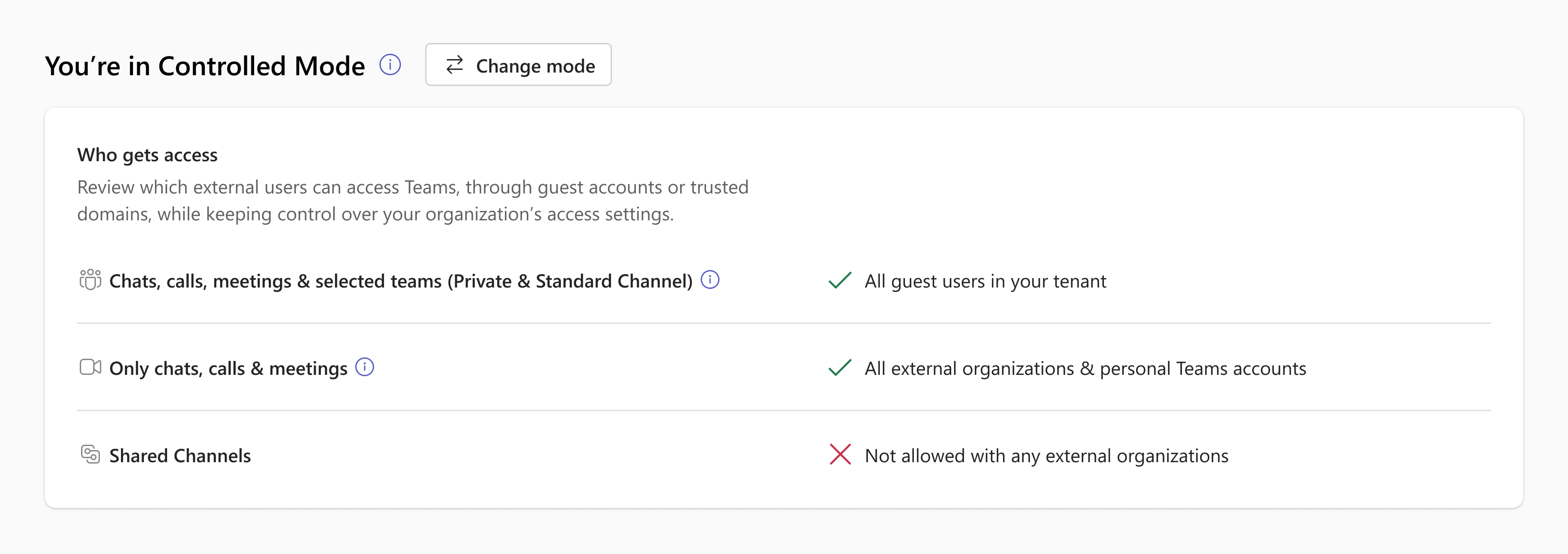
Yes, for chats, calls and meetings.
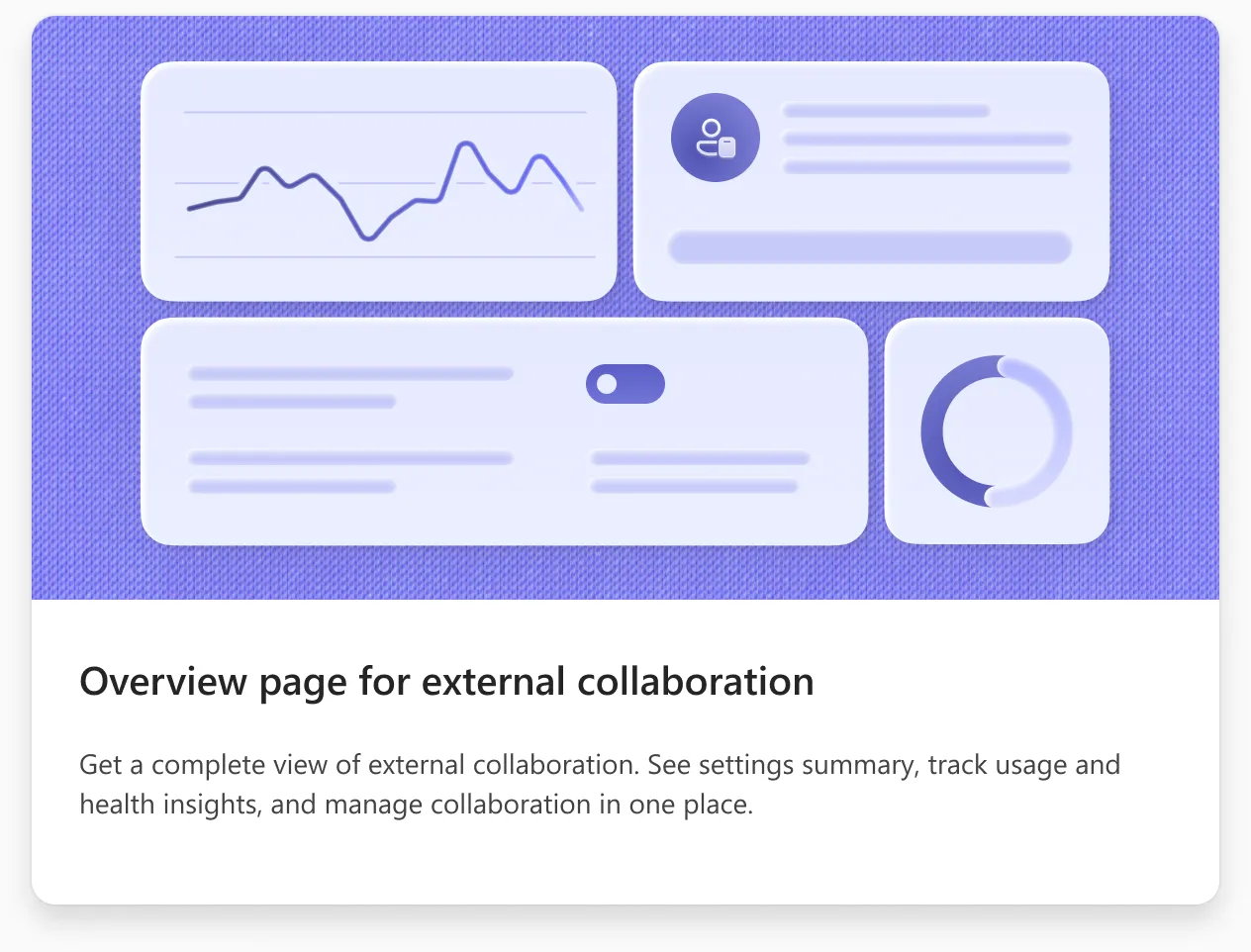
The overview answers it on one page. In this Controlled-mode example, shared channels are off.